Audiogarden Drive
Distortion with eleven types, from warm saturation through wavefolding to bit and sample-rate reduction, in up to three bands.
WHAT IT DOES
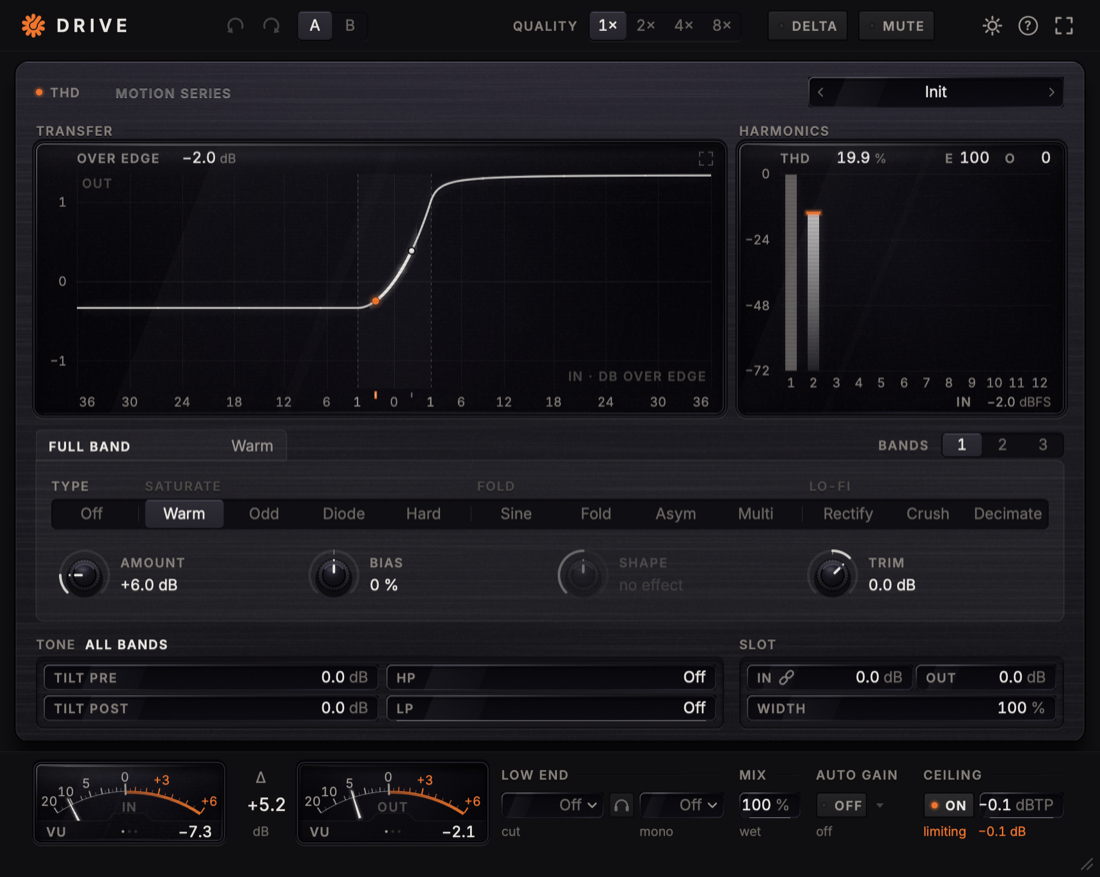
Audiogarden Drive adds harmonics, grit or aggression to whatever you send through it. Pick one of eleven types, from warm saturation to wavefolding and lo-fi, push it with Amount and watch what it does on a live transfer curve and a harmonics display. Split the sound into up to three bands, so the lows can stay clean while the highs get dirty.
- Eleven types in three families: Saturate, Fold and Lo-Fi
- Amount 0–36 dB, Bias and Shape; Makeup brings the level back
- Transfer display with the live signal, and Harmonics 1–12 with THD and the even and odd share
- One to three bands, each with its own Amount and Trim, and Solo for Low, Mid and High
- Tone: Tilt before and after the shaper, plus HP and LP
- Quality with oversampling up to 8×, so the harmonics fold back less
- Low End: Low Cut keeps the bass out of the saturation, with Listen and Monomaker
- Delta: hear only what the distortion adds
- Auto Gain, Mix, Width and a ceiling with true peak
DISPLAY
See what the distortion does
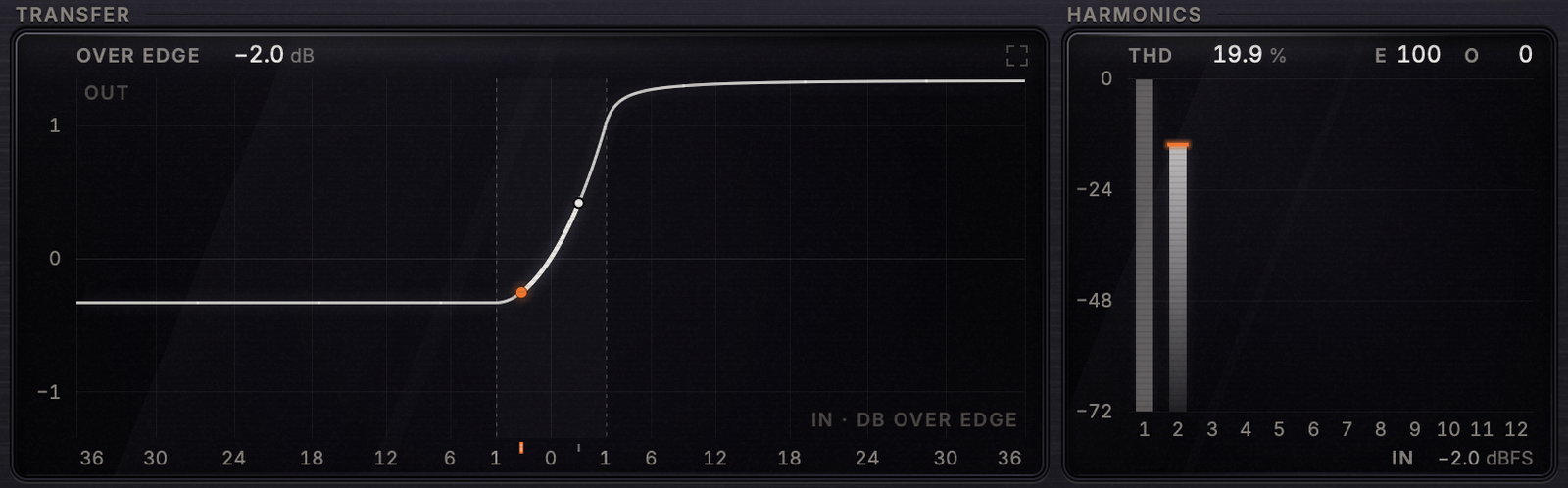
Transfer shows the curve of the shaper as it sounds now: dots mark where your signal reaches, the orange part of the curve is signal beyond the edge, and a trail shows the last quarter second. Harmonics shows what the shaper adds to a sine at your level, from the first harmonic to the twelfth, with THD and the share of even and odd ones.
- Filled bars are even harmonics, outlined bars odd
- Double-click the display to enlarge Transfer
TYPE AND TONE
Pick a type, push it, shape the tone
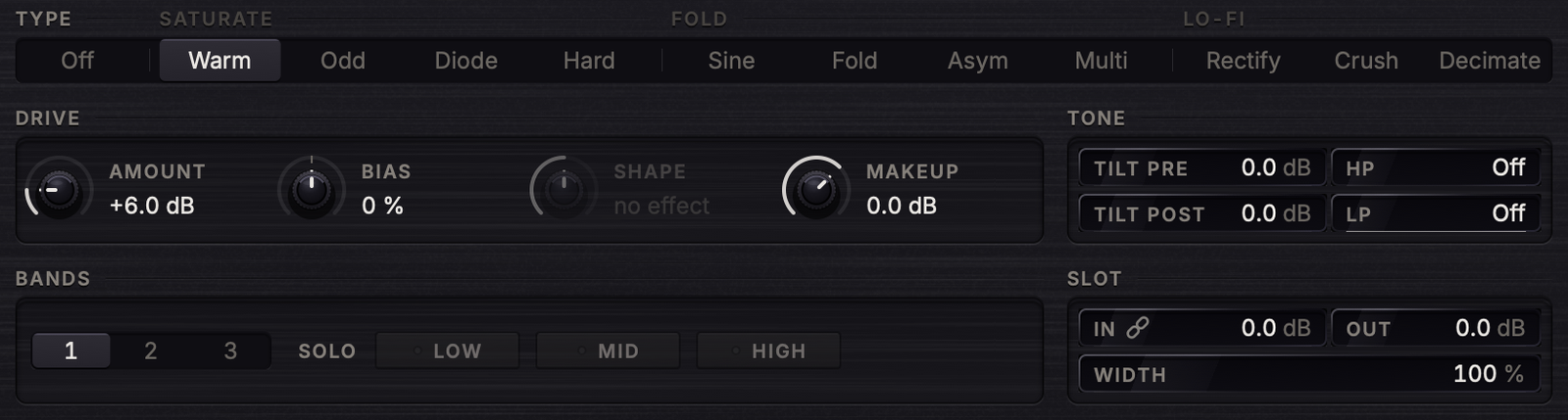
Types come in three families: Saturate with Warm, Odd, Diode and Hard, Fold with Sine, Fold, Asym and Multi, and Lo-Fi with Rectify, Crush and Decimate. Amount sets how hard the signal hits the shaper and Bias makes it asymmetric. The result is usually louder, so match the level with Makeup before you judge the sound.
- Shape matters for Rectify, Crush, Decimate, Asym, Multi and Diode
- Tilt Pre tilts the tone before the shaper, Tilt Post after it, up to ±12 dB each
- HP and LP trim the ends of the spectrum after the shaper
BANDS
Drive each part of the spectrum on its own
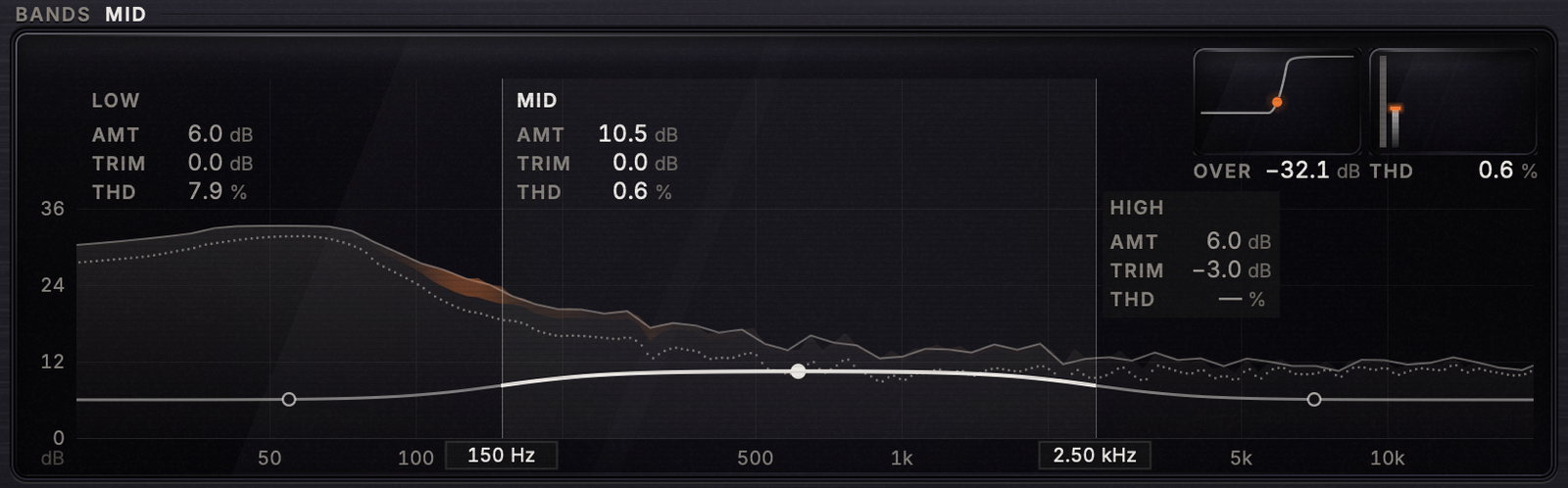
Choose one, two or three bands. The display turns into a bands view with the live spectrum: drag a band up or down to set its Amount, drag a boundary to move the crossover, and click a band to see its Transfer and Harmonics. Orange marks what the saturation adds beyond simple gain.
- Bands 2 and 3 have their own Amount and Trim, set against the main Amount and Makeup, ±24 dB
- Solo plays Low, Mid or High alone
METERS AND OUTPUT
Judge the sound, not the loudness
Two needle meters show input and output; click one to switch between VU, PPM and Crest, while Δ in the middle always shows output minus input. Auto Gain keeps the loudness where it was, so you compare the sound and not the volume, and a ceiling with true peak keeps the output under the limit.
- Low Cut sends the lows around the shaper, clean; Listen plays only those lows
- Monomaker folds the low end to mono
- Mix blends the untouched input back in

SPECS
What is inside
| Window | 860 × 686 points, scalable 70–200 %, Clean, Analog or Motion look |
|---|---|
| Formats | VST3 and AU, macOS and Windows |
| Presets | factory presets by use in the menu on the plugin panel |